Install
python3 ~/.codex/skills/.system/skill-installer/scripts/install-skill-from-github.py --repo aldegad/sprite-gen --path . --name sprite-genRun it in a terminal, then start a new agent session so the skill loads. Read the repo's README and scripts before you install: skills run with your agent's permissions.
What it does
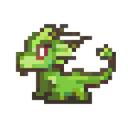
sprite-gen is a skill and Python command-line tool for 2D game sprites. You give it one base image of a character and it drives generation row by row, keeps the character's identity consistent, removes the chroma background to real transparency, cuts each pose into a clean frame and bakes a runtime atlas with a manifest.json that lists exact frame rectangles, frame rates and loop flags.
A second pipeline sends the same still to Grok Imagine video and cuts a seamless transparent loop per motion state, such as idle, attack or jump. An optional curation view lets you compare, reject and nudge frames and watch the loop before baking the final sheet.
Extra tools cover recolored variants, pixel art that stays on grid, UI kits, repeating background tiles, projected shadows, title logos and simple scene renders. Finished sheets export to Aseprite JSON for Phaser and Flame. Image generation runs on your own Codex or Grok login first, with OpenAI, xAI or Anthropic API keys as a billed fallback.
Features
- One base image to a transparent sprite atlas
- Machine-readable frame manifest for your engine
- Video-to-loop pipeline for animated states
- Optional curation view to review frames
- Recolors, pixel-art grid fitting and Aseprite export
Limits
- Video loops need ffmpeg, img2webp and a Grok login or xAI API key
- Walk and run cycles are marked experimental
- Python virtualenv is the only supported setup