The sky is the biggest thing players see in an outdoor 3D game, and it's one of the easiest places to save time with AI. Type "stormy alien sunset" and a skybox generator wraps a seamless 360-degree image around your scene in about a minute. A newer group of tools goes further and builds a whole explorable 3D world you can walk around, export and use to block out a level. This guide explains what each kind of tool makes, compares the main options for beginner and indie game makers, and walks through getting the result into Unity, Godot, Unreal or Roblox.
Plans, prices, export formats and rights come from each vendor's own pricing pages, docs and terms, checked November 18, 2026. This is not a hands-on review: it describes what each company says its product does.
Quick answer: our picks
- Best dedicated AI skybox generator: Skybox AI (Blockade Labs). Equirectangular, cube map, depth map and 32-bit HDRI exports, plus a Unity plugin and API. From $24/mo ($20/mo billed yearly); no free plan listed.
- Cheapest unlimited skyboxes: Sloyd. Unlimited skybox generation and a commercial license on Plus ($15/mo, or $12.50/mo billed yearly), with 1 free skybox a day on the Guest plan for personal use.
- Free skies for a quick prototype: Rosebud AI. A free library of 4096×2048 skyboxes, plus a generator that costs about 2,000 of the 10,000 free weekly credits per sky.
- A whole 3D world, not just a sky: World Labs Marble. Turns a prompt, images, a video or a rough layout into an explorable world; exports from Standard ($20/mo), commercial rights from Pro ($35/mo).
- Real places instead of generated ones: Polycam. Scan a real space or object with your phone and export it as a 3D model; free plan with limited captures and GLTF exports.
What is an AI skybox generator?
An AI skybox generator turns a text prompt into a seamless 360-degree panorama that a game engine wraps around the whole scene as the sky and distant scenery. Most tools output an equirectangular image (one 2:1 picture) or six square cube map faces, which every major engine can load as a background.
That's different from a 3D world generator. A skybox is only an image: nothing in it has depth or collision, and players can never walk into it. Blockade Labs' own docs say Skybox AI is not for creating 3D geometry, because skyboxes are images, not meshes. A world generator such as World Labs Marble builds a 3D scene you can move through, usually stored as a Gaussian splat (a cloud of colored blobs) with an optional mesh for collisions.
For most indie games, an AI skybox is the quick win: it changes the mood of a scene in minutes. A generated world is better seen as a fast way to block out or dress a level, not a finished, optimized map.
What to look for in an AI skybox or world tool
Export format: equirectangular, cube map or HDRI?
Check that the tool exports the format your engine wants. Unity and Godot load a single equirectangular panorama directly. Roblox's Sky object uses six separate square images, so you need cube map faces. If you want the sky to light your models and reflections, you need an HDRI (an .hdr or .exr file with real brightness values), which most AI tools don't make; Skybox AI lists HDRI exports on its Business plan.
Resolution
Skyboxes fill the whole screen, so low resolution shows up as blur. Skybox AI exports 4K on Essential, 8K on Standard and 16K on Business. Rosebud's library skyboxes are 4096×2048. For a browser or mobile game you'll often scale down anyway to keep load times short; see making a web game load faster.
Commercial rights
Free plans are usually personal use only. Blockade Labs, Sloyd, Rosebud and World Labs all put commercial rights behind a paid plan, and World Labs only from Pro. Check the plan you were on when you generated each asset. Our guide to selling a game made with AI lists the rules tool by tool.
Style control
Look for style presets (realistic, cartoon, painterly, cel-shaded) and a way to remix or edit an existing result, so the sky matches your game's art. Skybox AI has Remix and Edit tools, and Sloyd offers Realistic, Cartoon, Cel-Shaded and Painterly styles.
AI skybox and 3D world generators compared
| Tool | Makes | Price from | Free plan | Commercial use | Engines and exports |
|---|---|---|---|---|---|
| Skybox AI (Blockade Labs) | 360° skyboxes | $24/mo ($20 yearly) | None listed | Yes, on all paid plans (terms) | Unity plugin; JPG/PNG, cube map, depth map, HDR/EXR (Business), MP4, experimental GLB |
| Sloyd | 360° skyboxes + 3D props | $15/mo ($12.50 yearly) | Guest: 1 skybox and 1 text/image-to-3D a day, personal use | From Plus; reselling on Pro | Unity and Unreal plugins; skyboxes as Blender file, Roblox ZIP, cube map faces, web embed; models GLB, OBJ, FBX |
| Rosebud AI | 360° skyboxes inside a browser game maker | $15/mo | 10,000 credits a week; free skybox library | From 10x Dev ($30/mo) for your games; library skies free to use | 4096×2048 WebP panoramas; cube map ZIP incl. Roblox; Three.js games |
| World Labs Marble | Explorable 3D worlds | $20/mo | 7,000 credits/mo (up to 4 worlds), no exports | Pro and Max only | Splats (SPZ, PLY), 360 panoramas, collider GLB (Standard), textured GLB (Pro); Unity, Unreal, Godot via export |
| Polycam | 3D scans of real places and objects | $12.50/mo billed yearly | Limited captures, GLTF exports | Yes, with credit to Polycam on public display | GLTF free; OBJ, FBX, DAE, USDZ, STL from Basic |
All five are listed in our 3D models and worlds category, where you can filter by price and engine.
Skybox AI (Blockade Labs): the most complete skybox tool
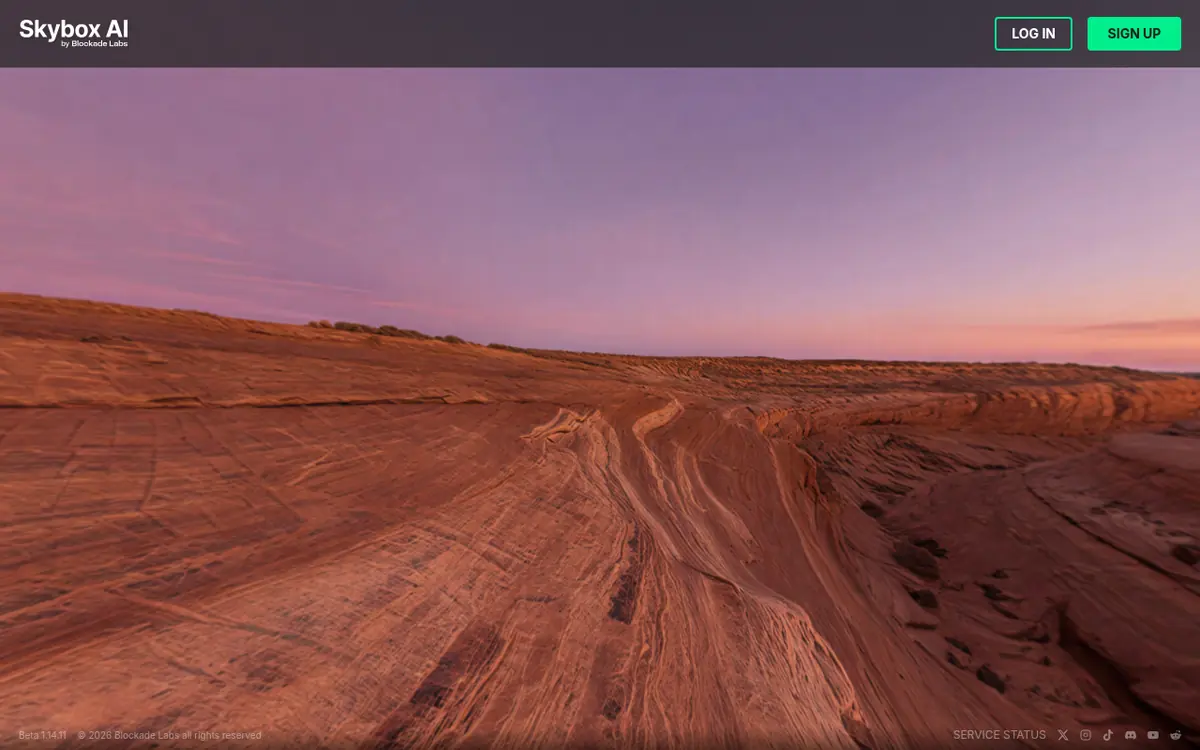
Skybox AI from Blockade Labs is the most complete dedicated AI skybox generator: you pick a style, type a prompt and get a seamless 360-degree equirectangular skybox, then export it as an image, cube map, depth map or (on Business) a 32-bit HDRI. Paid plans start at $24 a month, or $20 a month billed yearly.
How it works: you create skyboxes in the web app or through the API. Besides Create, Blockade's docs list Remix (restyle an existing skybox while keeping its structure), Edit (add or remove things in one region) and Image2Pano (turn a flat or partial image into a 360-degree panorama). The style you pick chooses the model: Model 3 takes about 15 seconds and exports up to 16K, while the newer Model 4 takes one to two minutes and exports up to 4K, according to the docs.
Best for: anyone who wants the widest choice of styles and export formats, and Unity developers who want a plugin instead of moving files by hand.
Standout features: 32-bit HDRI exports that Blockade says work in Blender, Unreal, Unity and Three.js; cube map faces (including for Roblox); depth maps; a Unity plugin, API and MCP support, so a coding agent can request skies too.
Limits: there's no free plan on the plans page, and features are split across tiers: Essential ($24/mo, $20 yearly) has 100 credits a month and 4K exports; Standard ($60/mo, $48 yearly, per seat) has 300 credits, 8K exports, the latest model, batch generation and API key access; Business ($140/mo, $112 yearly) adds 500 credits, 16K exports and HDRI exports.
Commercial use: Blockade Labs' terms say commercial use is allowed on its Essential, Standard, Business and Enterprise plans, and you own the skyboxes you create. The plans page also lists "commercial licensing" as a Business feature, so read the terms when you subscribe if you're unsure. Anything made on a free or academic tier is non-commercial only.
Sloyd: unlimited skyboxes on a small budget
Sloyd is the cheapest way to make lots of AI skyboxes: its Plus plan ($15 a month, or $12.50 a month billed yearly) includes unlimited skybox generation and a commercial license, and its free Guest plan gives you 1 AI skybox a day for personal use.
How it works: open Sloyd's Skybox Generator, pick a style (Realistic, Cartoon, Cel-Shaded or Painterly), describe the time of day, weather and atmosphere, and generate a seamless 360-degree equirectangular panorama. Each skybox also comes as six matching cube map faces.
Best for: indie developers who want many skies to try different moods, and Roblox creators, because Sloyd exports a ready Roblox ZIP.
Standout features: exports as a Blender file, Roblox ZIP, cube map face images or a web embed; the same subscription covers Sloyd's text-to-3D and image-to-3D props, rigging and animation, so you can make a sky and matching scenery in one place. Plus includes Unity, Unreal and Blender plugins.
Limits: Sloyd's skybox page doesn't mention HDRI output, so treat its skies as backgrounds rather than lighting. The Guest plan is personal-use only, and reselling or redistributing outputs needs Pro ($50/mo, or $41.67/mo billed yearly).
Rosebud AI: free skyboxes and a generator for browser games
Rosebud AI has the easiest free option: a library of ready-made 4096×2048 skyboxes that Rosebud says you can download and use in your games, plus a skybox generator that costs about 2,000 credits per sky out of the 10,000 credits its free plan gives you each week.
How it works: browse the library and preview each sky in 360 degrees, or sign in and describe a sky to generate one. Downloads are equirectangular WebP images, and Rosebud's page can convert any skybox into a six-face cube map ZIP, including a Roblox-ready version. If you build your game in Rosebud itself, you can ask for a skybox while building and it's added to the scene.
Best for: beginners making a first 3D browser game, and anyone who needs a decent sky right now for free.
Standout features: engine notes on the same page for Three.js, Unity, Unreal, Godot and Roblox; cube map conversion in the browser.
Limits: Rosebud says its skyboxes are visual backgrounds, not HDRIs. Rosebud is mainly a prompt-to-playable game maker, so the skybox tool is a side feature. Commercial rights to the games you build start on the 10x Dev plan ($30/mo). Read more about the main product in Rosebud AI vs GDevelop.
World Labs Marble: AI 3D worlds you can walk around
World Labs Marble turns a text prompt, one or more images, a video, a 360-degree panorama or a rough 3D layout into an explorable 3D world. The free plan generates up to 4 worlds a month but can't export; Standard ($20/mo) exports splats, panoramas and collider meshes, and Pro ($35/mo) adds textured meshes and commercial rights.
How it works: describe a place or upload reference images, and Marble generates a world (World Labs estimates about five minutes per world). You can edit the panorama, expand the world into a larger space, use "Chisel" mode to block out a layout in 3D first, and combine worlds. Marble's main export is a Gaussian splat, and you can also export a collider mesh for physics and, on Pro, a high-quality textured mesh.
Best for: blocking out a level or a background area fast, VR scenes, and trailers or concept shots of a place before you build it properly.
Standout features: the widest choice of inputs here; 360 panorama export, so Marble can double as a skybox source on Standard; a collider mesh (100,000 to 200,000 triangles) for simple physics; a high-quality mesh on Pro, one around 600,000 triangles with textures and another around 1 million with vertex colors.
Limits: splats need a plugin or special viewer in most engines, and the collider mesh is for physics only, not for drawing. High-quality meshes take up to an hour and are limited to 4 requests an hour. Credits go fast: one world generation costs 1,500 credits on Marble 1.1 (a draft is 150), and a high-quality mesh costs 3,500, so Standard's 20,000 credits cover up to 12 worlds. World Labs' docs also note that worlds use a different coordinate system from most 3D apps, so you may need to flip the Y and Z axes after import.
Commercial use: World Labs' pricing page lists commercial rights only on Pro ($35/mo) and Max ($95/mo). Standard can export but doesn't include commercial rights.
Polycam: scan a real place instead
Polycam is a 3D capture app that turns phone or drone captures of real objects and spaces into 3D models. It's not a sky generator, but it's a good choice when you want a real location, prop or room in your game rather than an invented one.
How it works: capture an object or space with the mobile app, and Polycam reconstructs it with photogrammetry, LiDAR or Gaussian splats. Its free web tools also include an AI 3D model generator, an AI texture generator and a 360 image creator.
Price and rights: the free plan has limited space, object and AI captures with GLTF exports. Basic costs $150 a year ($12.50 a month billed yearly, or $30 billed monthly) and unlocks six mesh export formats. Polycam's terms let you sell models you make, with attribution to Polycam on any public display.
Limits: Polycam's plans now aim mainly at architecture and other professional teams, and scans usually need cleanup and fewer polygons before they run well in a game.
The free route: Poly Haven HDRIs
If you want a realistic sky that also lights your scene, a free photographed HDRI often beats an AI one. Poly Haven says all its HDRIs, textures and models are CC0, which is effectively public domain, so you can use them in a commercial game with no credit required. Mix and match: a free Poly Haven HDRI for lighting and an AI skybox as the visible background is a common pattern.
How to make an AI skybox and put it in your game
The basic workflow is the same in every tool: write a prompt, generate and pick a result, export it in your engine's format, then assign it as the scene's sky. Here's the full process, based on the vendors' and engines' own docs.
- Decide what you need. A background only (any tool), a background that also lights the scene (an HDRI: Skybox AI Business or a free Poly Haven HDRI), or a walkable area (Marble).
- Write a prompt about the sky, not the action. Describe time of day, weather, light direction, distant landmarks and art style. Keep the foreground empty, because anything close to the camera will look flat. Example prompts (our own, not from the vendors): "Low-poly pastel sunset over rolling hills, soft clouds, flat colors", "Overcast stormy sky over a ruined castle on a distant cliff, painterly", "Deep space with a ringed purple planet and a dense star field, no ground."
- Pick a style that matches your art. A photoreal sky behind cartoon characters looks wrong. Use the tool's style presets, or remix a result you almost like.
- Check the seam and the horizon. Spin the 360-degree preview and look for a visible join, a tilted horizon or strange objects straight up and down.
- Export in the right format. Equirectangular PNG, JPG or WebP for Unity, Godot and Three.js; six cube map faces for Roblox; .hdr or .exr if the sky should light the scene.
- Import into your engine:
- Unity: import the image, create a material with the Skybox/Panoramic shader, set Mapping to Latitude Longitude Layout, then open Window > Rendering > Lighting and drag the material to Skybox Material on the Environment tab.
- Godot 4: add a WorldEnvironment node, set its Environment's background to Sky, give the Sky a PanoramaSkyMaterial and drop your image into the panorama slot. Godot's docs recommend an HDR panorama (.hdr or .exr) for accurate reflections.
- Unreal Engine: enable the HDRI Backdrop plugin, place an HDRI Backdrop in the level and set its cubemap to your imported HDR image. For a background-only sky, you can instead put the panorama on a large sky sphere.
- Roblox: insert a Sky object into Lighting and upload the six faces to SkyboxBk, SkyboxDn, SkyboxFt, SkyboxLf, SkyboxRt and SkyboxUp.
- Match the lighting. If the sky shows a low orange sun on the left, point your main directional light the same way and tint it orange. This one step makes a generated sky look like it belongs.
- Save the prompt and plan. Keep a note of the prompt, tool and plan for each sky, so you can make matching variations later and prove which plan you were on if you sell the game.
For a generated world from Marble, the steps differ: export the splat for visuals (with a Gaussian splatting plugin in Unity) plus the collider GLB for physics, or the textured GLB on Pro. In Godot, a GLB's Advanced Import Settings can generate a static collision body for level pieces. Then add your own lighting, gameplay and cleanup.
Common mistakes and tips
- Using an LDR skybox as your only light. A PNG sky looks right but can't light the scene accurately. Add a directional light, or use an HDRI for lighting.
- Putting objects close to the camera in the prompt. A tree or building "right in front" is painted onto the sky and looks flat as soon as the player moves.
- Shipping a 16K sky in a web game. Big textures slow loading and use memory. Scale down to what the screen actually needs.
- Forgetting the plan you generated on. Rights usually depend on the plan at the time you made the asset. Free-plan skies from Blockade Labs, Sloyd and World Labs are not for commercial use.
- Treating a generated world as a finished level. Collider meshes are rough, and splats aren't regular geometry. Use them to block out and test ideas, then build the parts players touch.
- Skipping disclosure. If AI art ships in your game, Steam's Content Survey and itch.io's AI tag ask you to say so; see who owns your game.
Which should you pick?
Pick by budget first, then by engine: Rosebud's free library or Sloyd's free daily skybox for $0, Sloyd Plus for unlimited commercial skies at $15 a month, Skybox AI when you need HDRI and cube map exports, and World Labs Marble when you want a walkable 3D space rather than a backdrop.
By budget
$0: Rosebud's free skybox library, Sloyd's 1 free skybox a day (personal use) or a CC0 HDRI from Poly Haven. Around $15 a month: Sloyd Plus for unlimited skyboxes with a commercial license. $20-35 a month: Skybox AI Essential for its style range, or World Labs Marble Pro ($35) for exportable worlds with commercial rights. Need HDRI from AI: Skybox AI Business ($140/mo, $112 yearly).
By skill
Total beginner: Rosebud, where you can ask for a sky while building a browser game. Some engine experience: Sloyd or Skybox AI, then follow the import steps above. Comfortable with 3D tools: World Labs Marble, which needs plugins, axis fixes and cleanup but gives you real 3D space.
By engine
Unity: Skybox AI's Unity plugin, or any equirectangular image with the Skybox/Panoramic shader. Godot: any equirectangular image or HDRI in a PanoramaSkyMaterial. Unreal: an HDRI from Skybox AI Business or Poly Haven in an HDRI Backdrop. Roblox: Sloyd's Roblox ZIP or Rosebud's Roblox cube map; see also our Roblox AI tools guide. Browse more tools in the Unity, Godot, Unreal and Roblox hubs.
Need the props and characters that go under the sky? See the best AI 3D model generators for games, Meshy vs Tripo and our overview of AI game asset generators. If you build with a coding agent, the agent skills directory lists skills and MCP servers for each engine.
Questions people ask
What is the best AI skybox generator for games?
For a dedicated tool with the most export options, Skybox AI from Blockade Labs is the strongest pick: it makes 360-degree skyboxes from a prompt and exports equirectangular images, cube map faces, depth maps and, on its Business plan, 32-bit HDRIs. If you want unlimited skies on a small budget, Sloyd Plus ($15/mo, or $12.50/mo billed yearly) includes unlimited skybox generation with a commercial license.
Is there a free AI skybox generator?
Yes, with limits. Sloyd's free Guest plan gives you 1 AI skybox a day for personal use, and Rosebud AI's free plan gives you 10,000 credits a week, with each generated skybox costing about 2,000 credits. Rosebud also has a free library of ready-made 4096×2048 skyboxes it says you can use in your games. For realistic skies, Poly Haven's HDRIs are free and CC0.
Is Skybox AI free?
Blockade Labs' plans page doesn't list a free plan: paid plans start at Essential, $24/mo or $20/mo billed yearly. Its terms also say anything made on a free tier would be for personal, non-commercial use only.
Can I use AI skyboxes in a commercial game?
Usually yes on a paid plan. Blockade Labs' terms allow commercial use on its Essential, Standard, Business and Enterprise plans. Sloyd includes a commercial license from Plus. Rosebud lists commercial rights from its 10x Dev plan ($30/mo). World Labs lists commercial rights for Marble only on Pro ($35/mo) and Max. Free plans are mostly personal use only.
What is the difference between a skybox and an HDRI?
A skybox is the background image wrapped around your scene. An HDRI is a high dynamic range image that stores real brightness, so the engine can also use it to light your models and make reflections. Most AI skyboxes are standard images (PNG or JPG), so they look like a sky but don't light the scene accurately.
Can AI make a whole 3D game level?
AI can make a starting point. World Labs Marble turns a prompt, images, a video or a rough 3D layout into an explorable 3D world, and paid plans export Gaussian splats, collider meshes and textured meshes. You still add gameplay, lighting, cleanup and collisions yourself in your engine.
How do I put an AI skybox in Unity, Godot or Roblox?
In Unity, make a material with the Skybox/Panoramic shader and set it as the Skybox Material in the Lighting window. In Godot 4, add a WorldEnvironment with a Sky that uses a PanoramaSkyMaterial. Roblox uses a Sky object with six square images, so export cube map faces (Sloyd, Rosebud and Skybox AI all offer them).
Do Gaussian splats work in game engines?
Not out of the box in most engines. World Labs' docs point Unity users to a free community Gaussian splatting plugin, and they recommend Marble's collider mesh for physics and its high-quality textured mesh (Pro plan) when you need regular geometry.
Sources
- skybox.blockadelabs.com/plans
- docs.blockadelabs.com
- blockadelabs.com/tos
- blockadelabs.com/hdri
- sloyd.ai/skybox
- sloyd.ai/pricing
- rosebud.ai/skyboxes
- rosebud.ai/pricing
- marble.worldlabs.ai/pricing
- docs.worldlabs.ai
- docs.worldlabs.ai/marble/…/mesh
- docs.worldlabs.ai/marble/…/specs
- docs.worldlabs.ai/marble/…/unity
- poly.cam/pricing
- poly.cam/tools
- polyhaven.com/license
- docs.unity3d.com/Manual/shader-skybox-panoramic.html
- docs.unity3d.com/Manual/skyboxes-using.html
- docs.godotengine.org/en/…/class_panoramaskymaterial.html
- dev.epicgames.com/documentation/…/hdri-backdrop-visualization-tool-in-unreal-engine
- create.roblox.com/docs/…/Sky