Unity now has AI help in three places: inside the Editor, in your code editor, and in coding agents that can drive the Editor for you. This guide covers the six tools beginners and indie Unity devs ask about most (Unity's own AI tools, Bezi, Cursor, Claude Code, GitHub Copilot and Devin Desktop), plus the free bridges and agent skills that connect them to Unity. You'll see what each one does, what it costs and whether you can ship what it makes. Prices and plan details come from each vendor's own pages, rechecked November 2 to 4, 2026. On November 4 we also updated the setup steps: Unity has deprecated the MCP server in its AI assistant package and moved MCP to the free Unity CLI.
Quick answer
- AI inside the Unity Editor, made by Unity: Unity's in-editor assistant. Unity 6+, 14-day free trial, then $10/mo on Personal; included with Pro.
- A Unity assistant that knows your whole project, on older Unity too: Bezi. Free trial with 100 credits, Pro $20/mo.
- Cheapest way to code Unity with AI: GitHub Copilot (free plan, Pro $10/mo) in Visual Studio or VS Code, or Cursor (free plan, Plus $8/mo).
- Hand off whole features: Claude Code from $20/mo, with Unity's official plugin and the free Unity CLI.
- Free glue for any agent: the Unity CLI's MCP mode, or open-source bridges like Unity MCP and UnitySkills.
What "AI for Unity" actually means
AI for Unity is any tool that writes your C# scripts or changes your scenes, prefabs and settings from a plain-language request. They fall into three groups, and many devs use one from each.
- In-editor assistants. They run inside Unity and see the open scene, GameObjects and components. Unity's assistant and Bezi are in this group.
- AI code editors and coding agents. Cursor, GitHub Copilot, Devin Desktop and Claude Code work on your project's files. On their own they edit C# well but can't see the scene.
- Bridges and skills. An MCP server connects a coding agent to the open Editor, so it can create GameObjects, read the Console or run tests. Agent skills give the agent Unity know-how for jobs like URP setup or in-app purchases.
What to look for
The right Unity AI tool is the one that fits your Unity version, your budget and how much control you want over each change.
- Unity version. Unity's own AI tools need Unity 6.0 or later. On Unity 2021 or 2022, look at Bezi, community bridges or a plain code assistant.
- Scene awareness. Can it see the Hierarchy and Inspector, or only your scripts? Scene-aware tools are better at wiring up objects, UI and animators.
- Undo and review. Look for plan modes, approval prompts and checkpoints. Unity's official plugin warns that not every change can be undone from the Editor, so use version control too.
- How you pay. Most tools sell monthly credits or a usage pool. Heavy agent work burns through it faster than chat.
- Rights. Check whether you can ship what it makes. Unity's AI tools are in beta, which matters if you plan to sell. See can you sell a game made with AI.
Comparison table
All six tools have a free plan or trial except Claude Code, and paid plans start between $8 and $20 a month.
| Tool | Type | Free plan | Paid from | Selling what you make | Unity versions |
|---|---|---|---|---|---|
| Unity's AI tools | In-editor assistant, CLI with MCP mode, plugin | CLI (with MCP mode) and plugin free; assistant 14-day trial (1,000 credits) | $10/mo on Personal; included with Pro | Limited: beta terms, treat generated assets as placeholders | Unity 6.0+ |
| Bezi | Unity assistant app + plugin | Trial, 100 credits, no card | Pro $20/mo | Paid: yes. Terms assign you output; free plan not stated | 2021, 2022, 2023, Unity 6 |
| Cursor | AI code editor + agent | Yes, limited | Plus $8/mo | Yes: terms assign Suggestions to you | Any (edits C#) |
| Claude Code | Coding agent | No | Pro $20/mo ($17 annual) | Yes: terms assign you rights, if any, in Outputs | Any; official plugin needs Unity 6 |
| GitHub Copilot | Suggestions, chat, agent | Yes, limited credits; free for students | Pro $10/mo | Yes: GitHub claims no ownership of suggestions | Any (edits C#) |
| Devin Desktop | Agent IDE (formerly Windsurf) | Yes | Pro $20/mo | Yes: terms assign you rights in Output | Any (edits C#) |
Unity's AI tools (in-editor assistant and MCP server)
Unity's AI tools are Unity's own set of AI features for Unity 6 and newer: an in-editor assistant that understands your project, plus a free CLI with an MCP mode and an official plugin for outside coding agents. Unity is retiring the "Unity AI" name and now describes each piece by what it does.
How it works
You install the Assistant package from the AI button in the Editor or the Package Manager. The assistant has three modes. Ask mode explains and inspects your project with read-only tools. Plan mode writes a step-by-step plan for you to review, and switches to Agent mode once you approve it. Agent mode creates, changes or deletes objects and assets, asking for permission according to your settings. You can pick a model tier per task: Unity Lite, Unity Default or Unity Ultra.
Standout features
- Checkpoints. Turn them on in Preferences > AI > Assistant, and the assistant snapshots your project before each prompt. Restoring one reverts everything after it, including your own edits.
- Generators for placeholder assets such as materials, sounds, cubemaps and 2D or 3D assets, according to Unity's launch.
- Free MCP mode in the Unity CLI.
unity mcplets Claude Code, Cursor, VS Code, Windsurf and other MCP clients drive the open Editor. It replaces the MCP server that came in the AI assistant package, which Unity has deprecated. Unity says the CLI is free, needs no Unity AI subscription and runs locally. Agents that can run shell commands can skip MCP and useunity commandandunity eval, which Unity says are faster and use fewer tokens. - Official plugin for Claude Code, Codex, Grok and Google Antigravity that adds Unity's skills, covering 2D and tilemaps, UI Toolkit, localization, multiplayer, LevelPlay and In-App Purchasing. Unity says the plugin ships skills only and doesn't use an MCP server: skills that control the Editor run Unity CLI commands, so install the CLI too.
Limits and gotchas
The tools are in beta. Unity's guiding principles say it will keep updating them until they meet its quality and readiness bar. Unity's terms limit beta versions to non-commercial evaluation unless its docs say otherwise, and Unity suggests treating generated assets as placeholders. Credits reset each billing cycle and don't roll over, and Unity says credit costs per task vary with project size, mode and model. Some Unity devs on Reddit say they prefer driving Unity through MCP from their own IDE.
Price and rights
On Unity Personal (free for individuals and businesses under $200,000 in revenue and funding), the assistant has a 14-day trial with 1,000 one-time credits, then costs $10 a month for 1,000 credits. Pro, Enterprise and Industry include it, with 2,000 and 3,000 monthly credits on Pro and Enterprise. The CLI, its MCP mode and the plugin are free. Unity says you own your input and output data.
Best for: Unity 6 users who want help that sees the scene, without setting up anything outside Unity.
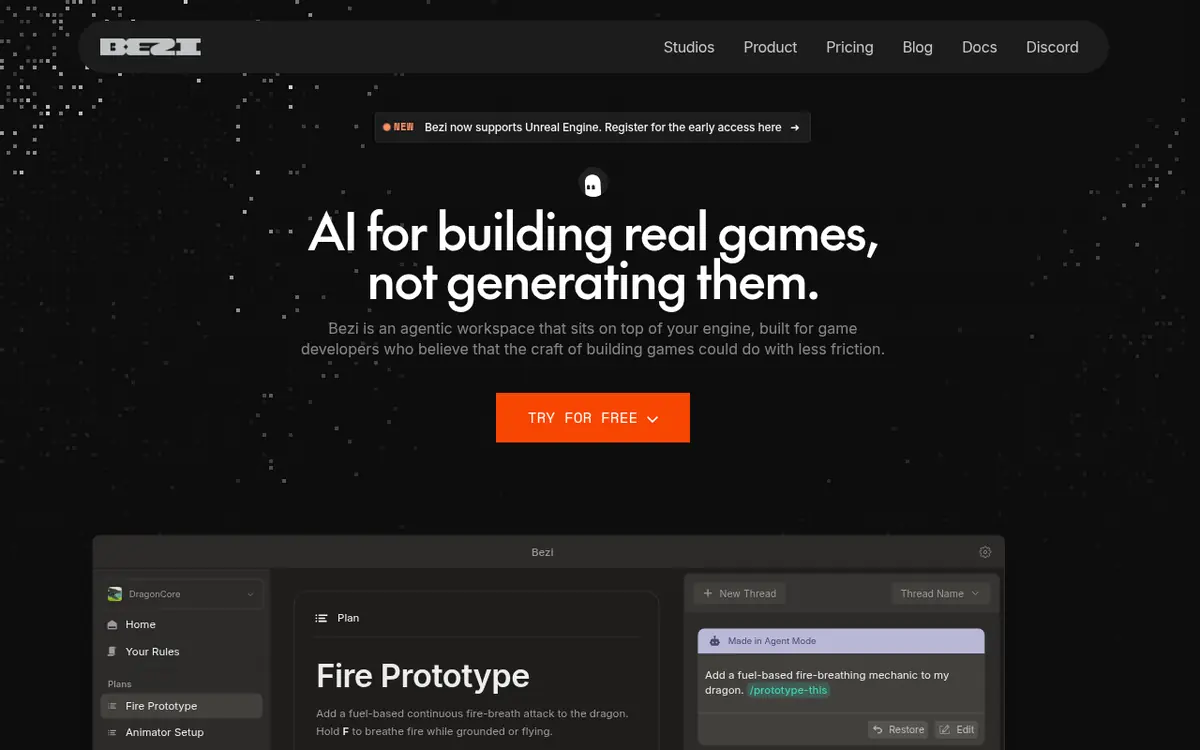
Bezi
Bezi is a game development assistant that connects to your Unity project and sees its scripts, scenes, prefabs, assets and packages in real time, then plans and makes changes inside the engine. Unreal support is in early access.
How it works
Bezi is a desktop app. You connect a Unity project, click Install Plugin, and give Unity permission to install the package. A green dot in both apps means they're connected, and both must stay open while you work. Bezi says it doesn't use MCP to make changes: it sequences and checks each step against your live project.
Standout features
- Builds UI from a screenshot or Figma file and checks the result visually.
- Sets up Animator Controllers, BlendTrees and Timeline tracks, and connects them to your scripts.
- Writes EditMode and PlayMode tests, runs them in Test Runner and fixes failures until they pass.
- Plan Mode turns a request into steps you approve, and Pages store your design doc and coding rules so every answer follows them.
Limits and gotchas
Credit use depends on the model, the task and how many steps Bezi takes. Its own docs say Plan Mode isn't for planning an entire game and pressing build. A Reddit user making a Unity game with Bezi reports that big or vague requests produce messy code, and that small, specific tasks work best.
Price and rights
The free trial gives 100 credits with no card and no expiry. Pro is $20/mo (800 credits), Advanced $60/mo (2,400) and Ultimate $180/mo (7,200). Team is $200/mo with 8,000 pooled credits and 3 seats. Extra credits cost $0.05 each. Bezi's terms assign you its rights in output, and its docs say you own the scripts it writes; the terms say personal or commercial use depends on your account type without saying which plan allows which.
Best for: Unity devs who want a scene-aware assistant on Unity 2021 to Unity 6, especially for UI and animation setup.
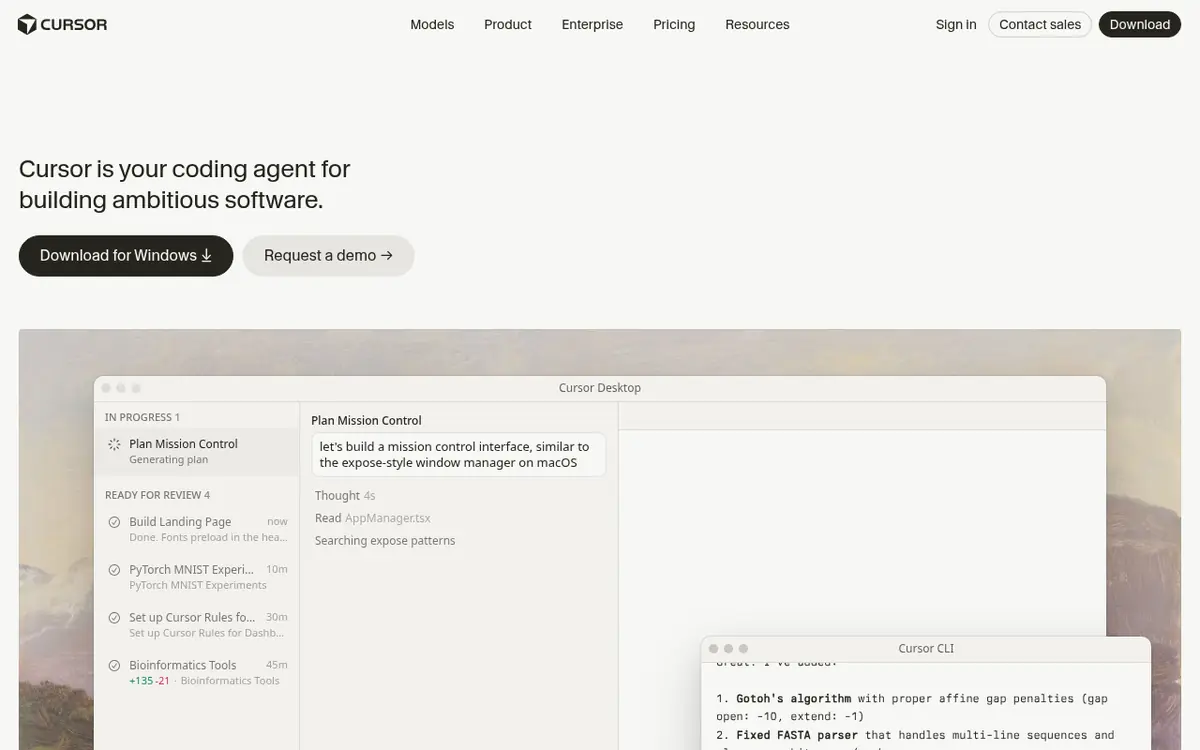
Cursor
Cursor is an AI code editor with a built-in agent that plans and writes code across your whole project, which makes it a strong place to write Unity C#.
How it works
Open your Unity project folder in Cursor, and the agent can read every script. Set Cursor as your external script editor in Unity's Preferences under External Tools so double-clicking a script opens it there. Each change shows up for you to accept or reject. To let Cursor touch scenes too, run unity mcp configure cursor with the free Unity CLI, or add a community bridge.
Limits and gotchas
Cursor's plans changed recently. The Plus plan includes only Grok models. Premium and higher add cloud agents and AI code reviews, and third-party models are billed separately at API list price on those plans. Without an MCP bridge, Cursor sees your files but not the open scene.
Price and rights
Free $0 with limited agent requests; Plus $8/mo; Premium $30/mo; Super $100/mo; Ultra $200/mo. Cursor's terms assign Suggestions to you.
Best for: learning Unity C# with AI on a small budget, seeing every change before you keep it.
Claude Code
Claude Code is Anthropic's agentic coding tool: it reads your codebase, edits files and runs commands from the terminal, IDEs, a desktop app or the web, so you can hand it whole Unity features.
How it works
Run Claude Code in your project folder and describe a task. With Unity's official plugin installed, it picks up Unity skills automatically when your request matches one. Inside a Claude Code session, Unity's docs give two commands: /plugin marketplace add Unity-Technologies/unity-agent-plugin, then /plugin install unity@unity-agent-plugin. Type /unity: to check that the skills loaded.
Limits and gotchas
Claude Code isn't on Claude's free plan. Usage limits reset in rolling five-hour windows with weekly limits on paid plans, and chat and Claude Code share the same pool. Unity's plugin README warns that its skills change scripts, scenes and assets directly, so commit before larger requests.
Price and rights
Included from Claude Pro at $20/mo ($17/mo billed annually); Max starts at $100/mo. Anthropic's consumer terms assign you its rights, if any, in Outputs. More detail in Cursor vs Claude Code for game development.
Best for: coders who know their project and want to delegate features, bug fixes and tests.
GitHub Copilot
GitHub Copilot is an AI coding assistant that suggests code as you type, answers questions about your codebase and can work an issue as an agent, and it runs in Visual Studio and VS Code, which both work as Unity script editors.
How it works
Install Copilot in your editor and sign in. You get inline suggestions as you write C#, Copilot Chat, and agent mode. GitHub's plan docs list Model Context Protocol (MCP) support, so you can point it at a Unity bridge as well.
Limits and gotchas
Copilot Free limits you to 2,000 completions a month and auto model selection only. Paid plans come with a monthly allowance of GitHub AI credits; code completions are unlimited on paid plans.
Price and rights
Copilot Free; Copilot Student free for verified students; Pro $10/mo; Pro+ $39/mo; Max $100/mo. GitHub says it doesn't claim ownership of any suggestion.
Best for: the cheapest steady AI help inside the editor you already use for Unity.
Devin Desktop (formerly Windsurf)
Devin Desktop is Cognition's AI IDE, renamed from Windsurf on June 2, 2026, built around an Agent Command Center for running several coding agents on one project.
It's a full IDE compatible with VS Code extensions, so it can be your Unity script editor, and the Unity CLI's unity mcp configure command supports Windsurf. The free plan has a light quota with limited models. Pro is $20/mo, Max $200/mo and Teams $80/mo plus $40/mo per full developer seat. Cognition's terms assign you all rights in Output.
Best for: coders who want to run more than one agent at a time on a Unity project.
Free bridges and agent skills for Unity
Bridges let any coding agent control the open Unity Editor, and skills teach it Unity's way of doing things; the ones below are free.
- Unity CLI in MCP mode (official, Unity 6.0 LTS+): free, set up with
unity pipeline installandunity mcp configure, works with Claude Code, Claude Desktop, Cursor, VS Code, Windsurf, Codex and other MCP clients. It replaces the deprecated MCP server in the AI assistant package. - Unity Skills (official): 34 skills from Unity for 2D pixel-perfect setup, tile palettes, physics, UI, URP, audio, localization, in-app purchases, multiplayer and builds. Licensed under the Unity Companion License.
- Unity MCP (AI Game Developer): Apache-2.0, 70+ Editor tools for scenes, prefabs, scripts and tests, and it can also run inside your built game. Its default CLI setup signs in to the ai-game.dev cloud; a local server is supported.
- UnitySkills: MIT, 839 REST-based skills with Approval, Auto and Bypass modes, dry runs, an audit log and rollback. Unity 2022.3 and Unity 6.
- MCP for Unity by CoplayDev: MIT, 50 MCP tool entry points, Unity 2021.3 LTS to 6.x, needs Python 3.10+ through uv. Install it from a Git URL in the Package Manager, then use Window > MCP for Unity > Configure All Detected Clients.
Our best AI agent skills for game dev guide covers more, and the Unity hub lists every tool and skill that works with Unity.
For audio, VARCO Sound has a Unity plugin that generates sound effects inside the editor and applies them to your project, from a text prompt, an image or a video clip. Its free plan is non-commercial; paid plans start at $10/mo.
Step-by-step: connect a coding agent to Unity
This setup uses Unity's own docs and gives an outside agent like Claude Code or Cursor access to your open Editor for free.
- Use Unity 6 or later and put the project under Git. Commit now, so you can roll back anything the AI does.
- Install the Unity CLI. On macOS or Linux, run
curl -fsSL https://unity.com/install.sh | bash; on Windows, use the PowerShell script on Unity's CLI install page or winget. Check it withunity --version. - Add the Pipeline package. With your project open in the Editor, run
unity pipeline installfrom the project folder and let Unity recompile. - Configure your client. Run
unity mcp configurewith your client's name, for exampleclaude-code,cursor,vscodeorwindsurf.unity mcp configure --listshows every supported client. - Add Unity's CLI skill. Run
unity skill installwith your agent's name so it knows the commands. - Test it. Ask the agent to read the Unity console and summarize any warnings or errors.
- Add skills (optional). In Claude Code, install Unity's official plugin with the two commands in the Claude Code section above.
- Work in small steps. One feature per request, press Play to test, paste errors back, and commit when it works.
On Unity 2021 or 2022, use MCP for Unity or UnitySkills instead of steps 2 to 5, or try Bezi. Older tutorials still describe an MCP page under Edit > Project Settings > AI and a relay binary in ~/.unity/relay/; that in-Editor server is deprecated. Our Unity MCP servers compared guide covers every option, with setup steps for each.
Example prompts
Unity's docs show how the same idea reads in each assistant mode: "How do I create a weapon system?" (Ask), "Create a weapon system for my game." (Plan) and "Add a weapon system to my game." (Agent). Unity's plugin README lists requests its skills handle, such as "My pixel art looks blurry and jitters when the camera moves" and "Create a hexagonal tile palette for my level". MCP for Unity's quickstart uses "Create a cube at the origin and add a Rigidbody."
Bezi's prompt guide suggests saying which keys to map and which object to attach a script to. Following that advice, here's an example of our own (not from any vendor's docs):
- "Unity 6, new Input System. Add a dash to the Player GameObject on Left Shift with a 1-second cooldown. Put the code in PlayerDash.cs and don't change PlayerMovement.cs."
- "Ask mode: explain why my Player falls through the floor. Check the colliders and Rigidbody on Player and Ground."
Common mistakes and tips
- No version control. Unity's plugin README warns that not every change is logged or can be undone from the Editor. Commit first.
- One giant request. Unity's Plan mode and Bezi's Plan Mode both exist because multi-step work goes better in reviewed steps. Neither is for "make my whole game".
- Not saying your setup. Name your Unity version, render pipeline (URP or Built-in) and input system. They change the right answer.
- Shipping beta-generated assets. Unity suggests treating its generated assets as placeholders. Replace them, or check the terms, before release.
- Restoring a checkpoint without saving. Unity's docs warn that a restore overwrites the current project state, including your own later edits.
- Running out of credits mid-task. Agent work uses more credits than chat. Watch your usage page, and use cheaper models (like Unity Lite) for quick fixes.
Which should you pick?
Pick by budget first, then by how much of the work you want the AI to do.
By budget
- $0: GitHub Copilot Free or Cursor Free for code, plus the free Unity CLI in MCP mode or an open-source bridge. Try Unity's assistant and Bezi on their free trials. For a whole free toolkit, see the best free AI game-making tools.
- About $10 a month: Cursor Plus ($8), Copilot Pro ($10) or Unity's assistant on Personal ($10).
- About $20 a month: Claude Code (Pro), Bezi Pro or Devin Desktop Pro.
By skill
- New to Unity: Unity's assistant in Ask mode, to learn where things are, or Bezi.
- Some C#: Cursor or Copilot, so you see every change.
- Comfortable coder: Claude Code or Devin Desktop with an MCP bridge and skills.
By Unity version
- Unity 6: everything here works, including Unity's own tools and plugin.
- Unity 2021 to 2023: Bezi, MCP for Unity, UnitySkills (2022.3+) or a plain code assistant.
Not set on Unity? Godot with AI covers the free engine, AI tools for Unreal Engine covers Epic's new MCP server, and how to make a video game with AI starts from zero. For art, 3D, animation and voices with Unity plugins, see AI 3D model generators, AI animation and mocap and AI game audio. Every coding tool is on our AI coding tools for game engines page, or take the tool matcher.
Some links are affiliate links.
Questions people ask
What is the best AI tool for Unity?
It depends on how you like to work. Unity's own in-editor assistant is built for Unity 6 and understands your scene ($10/mo on Unity Personal after a 14-day trial; included with Pro, Enterprise and Industry). Bezi is a Unity assistant that sees your whole project and also supports Unity 2021 to Unity 6. If you already use Claude Code, Cursor or GitHub Copilot, connect it to the free Unity CLI (which has an MCP mode) or an open-source bridge so it can control the Editor.
Is there a free AI for Unity?
Yes. The Unity CLI, its MCP mode and Unity's official agent plugin are free and don't need a Unity AI subscription. GitHub Copilot Free, Cursor's free plan and the Devin Desktop free plan include limited AI use, and community bridges like Unity MCP (AI Game Developer), MCP for Unity (CoplayDev) and UnitySkills are free and open source. Unity's in-editor assistant has a 14-day free trial with 1,000 one-time credits, and Bezi's trial gives 100 credits with no card.
Does Unity have its own AI assistant?
Yes. Unity's in-editor assistant works in Unity 6 and newer. It has Ask, Plan and Agent modes, can inspect GameObjects and components, drive Editor actions and create checkpoints you can restore. Unity is retiring the "Unity AI" name and now calls the set Unity's AI tools. They are still in beta.
Can Claude Code or Cursor control the Unity Editor?
Yes. The free Unity CLI has an MCP mode: run unity pipeline install in your Unity 6 project, then unity mcp configure with your client's name, such as claude-code or cursor. It replaces the MCP server that used to come in Unity's AI assistant package, which Unity has deprecated. Unity also publishes an official plugin with Unity skills for Claude Code, Codex, Grok and Antigravity. Community bridges such as Unity MCP and MCP for Unity do the same job and also work with older Unity versions.
Can I sell a game made with Unity's AI tools?
Unity says you own your input and output, but its AI tools are in beta, and Unity's terms limit beta versions to non-commercial evaluation unless its docs say otherwise. Unity also suggests treating generated assets as placeholders. Code written by Cursor, Claude Code or Copilot is covered by those vendors' terms, which assign output to you or claim no ownership of it.
Do these tools work with older Unity versions?
Unity's own AI tools and its official plugin need Unity 6.0 or later. Bezi supports Unity 2021, 2022, 2023 and Unity 6. MCP for Unity supports Unity 2021.3 LTS to 6.x, and UnitySkills targets Unity 2022.3 and Unity 6. General coding tools like Cursor, Claude Code and Copilot edit C# in any version.
Do I need to know C# to use AI with Unity?
It helps a lot. These tools write and change C# scripts, scenes and prefabs for you, but you still need to test in Play mode, read errors and judge whether a change is right. If you want to make a game with no code at all, try a no-code AI game maker instead.
How much does AI for Unity cost per month?
You can start at $0 with free plans and the free Unity CLI in MCP mode. Common paid picks are Cursor Plus at $8/mo (Grok models only), Unity's assistant at $10/mo on Personal, GitHub Copilot Pro at $10/mo, and Claude Code, Bezi Pro and Devin Desktop Pro at $20/mo each. Prices are from each vendor's pricing page, rechecked November 2 to 4, 2026.
Sources
- unity.com/features/ai
- unity.com/products
- unity.com/products/pricing-updates
- unity.com/legal/unityai-guiding-principles
- discussions.unity.com/t/…/1718560
- docs.unity.com/en-us/…/credits-about
- docs.unity3d.com/Packages/…/assistant-modes.html
- docs.unity3d.com/Packages/…/checkpoints.html
- docs.unity3d.com/Packages/…/unity-mcp-get-started.html
- docs.unity.com/en-us/…/replace-mcp-server-unity-cli
- docs.unity.com/en-us/…/use-unity-cli
- docs.unity.com/en-us/…/claude-code
- docs.unity.com/en-us/…/about-unity-plugin
- github.com/Unity-Technologies/unity-agent-plugin
- github.com/Unity-Technologies/skills
- bezi.com/pricing
- docs.bezi.com/get-started/quickstart
- docs.bezi.com/account/plans
- docs.bezi.com/get-started/troubleshooting
- docs.bezi.com/fundamentals/plan-mode
- docs.bezi.com/more/prompt-guide
- cursor.com/pricing
- cursor.com/terms-of-service
- claude.com/pricing
- anthropic.com/legal/consumer-terms
- docs.github.com/en/…/plans
- github.com/features/copilot
- devin.ai/pricing
- github.com/IvanMurzak/Unity-MCP
- github.com/CoplayDev/unity-mcp
- github.com/Besty0728/Unity-Skills
- gamesindustry.biz/unity-launches-suite-of-ai-tools-to-help-creators-accelerate-game-development